![shipcalm-logos_all_white-2.png]](https://help.shipcalm.com/hs-fs/hubfs/shipcalm-logos_all_white-2.png?height=40&name=shipcalm-logos_all_white-2.png)
-
Provide your EORI or VAT number
Customer must secure the EORI or VAT number that is required to used for the order. -
Login to ShipStation account
Login into the ShipStation account where you need to add the VAT or EORI number.
ShipStation Login -
Go to Account Settings
In the upper right-hand corner of the page, select the COG icon to open the settings menus.
-
Open International Settings Menu
Select Shipping and then choose International Settings from the left-hand sidebar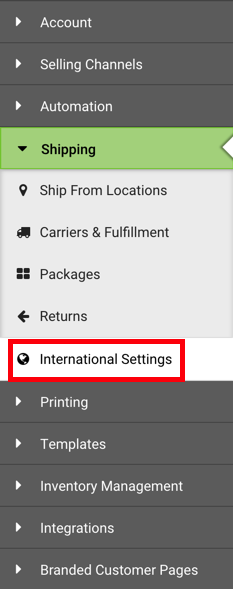
-
Select 'Add a Tax Identifier'
Click the Add a Tax Identifier button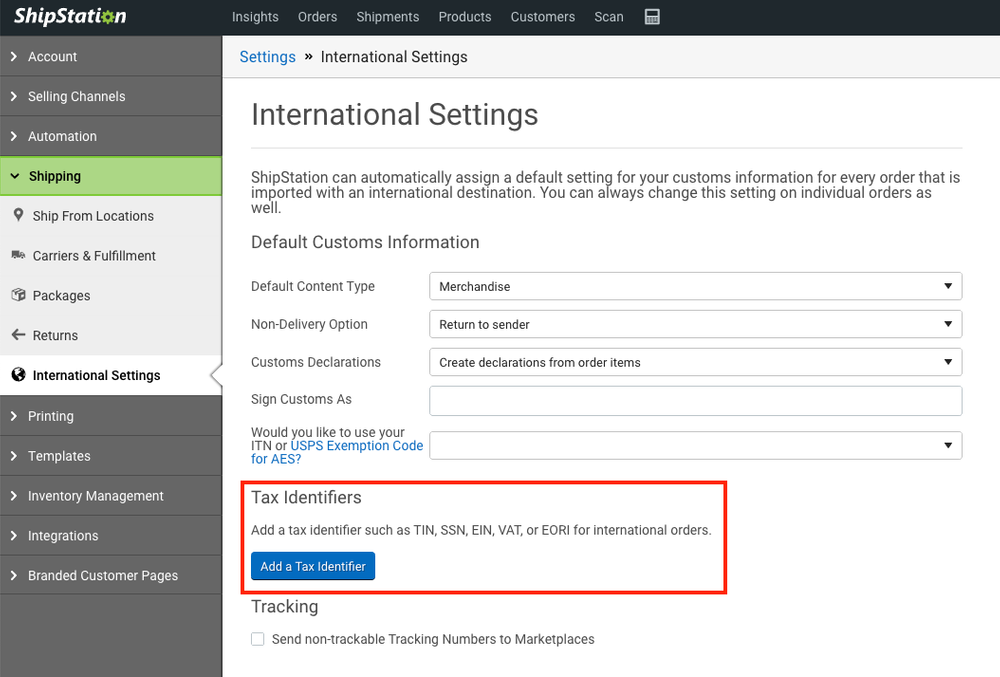
6. Add your Tax ID Information
- Select the Tax ID type
- Issuing Authority
- Then enter the EORI or VAT number and give it a nickname (the nickname helps you identify the ID when selecting it for your shipments).